EID-EXP-005: Configuring Alerts and Notifications for Risky Users and Risky Sign-ins
Scope: Monitoring & Detection
Platform: Microsoft Entra Identity Protection
Outcome: Identity Protection alerts are configured, and notifications are delivered for both risky users and risky sign-in events.
Background
Microsoft Entra Identity Protection can detect risky sign-ins and users, but detection is only effective if alerts are configured and delivered to appropriate recipients or systems. Many organizations leave these settings at default or unconfigured, resulting in silent detections and no operational response.
This guide outlines how to enable alerting, set thresholds, and verify email notification delivery.
Requirement
- Microsoft Entra ID P2 license or Microsoft 365 E5
- Admin account with sufficient privileges (e.g., Security Administrator)
- Test user accounts to validate notifications.
Evidence EID-EXP-006-01
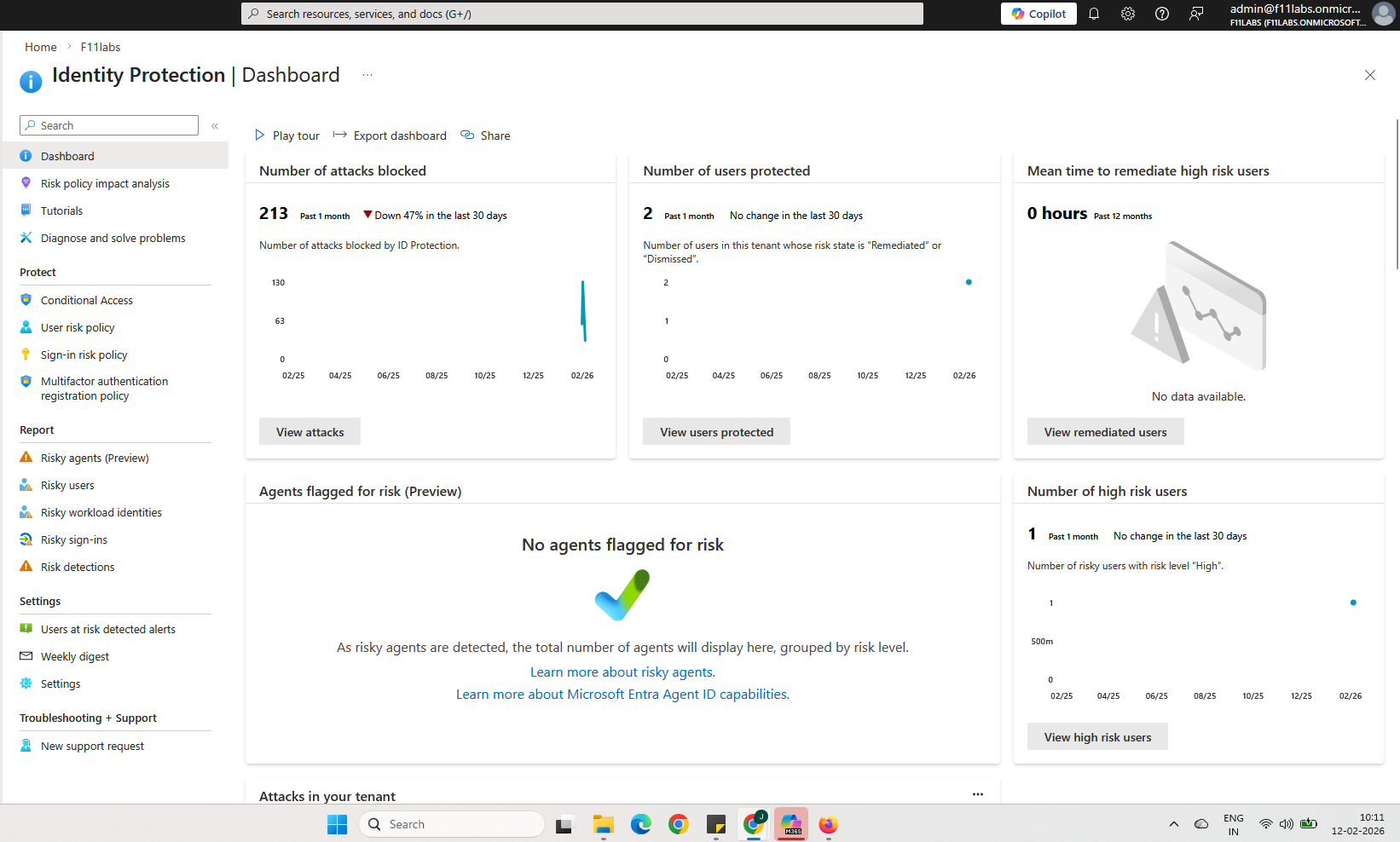
Steps Confirm Identity Protection is available
- Sign into Microsoft Entra admin center
- Navigate to Protection → Identity Protection
- Confirm the Identity Protection dashboard loads
- Validate licenses show as active
Result:
Identity Protection must be accessible and licensed before alerts can be configured.
Evidence EID-EXP-006-02
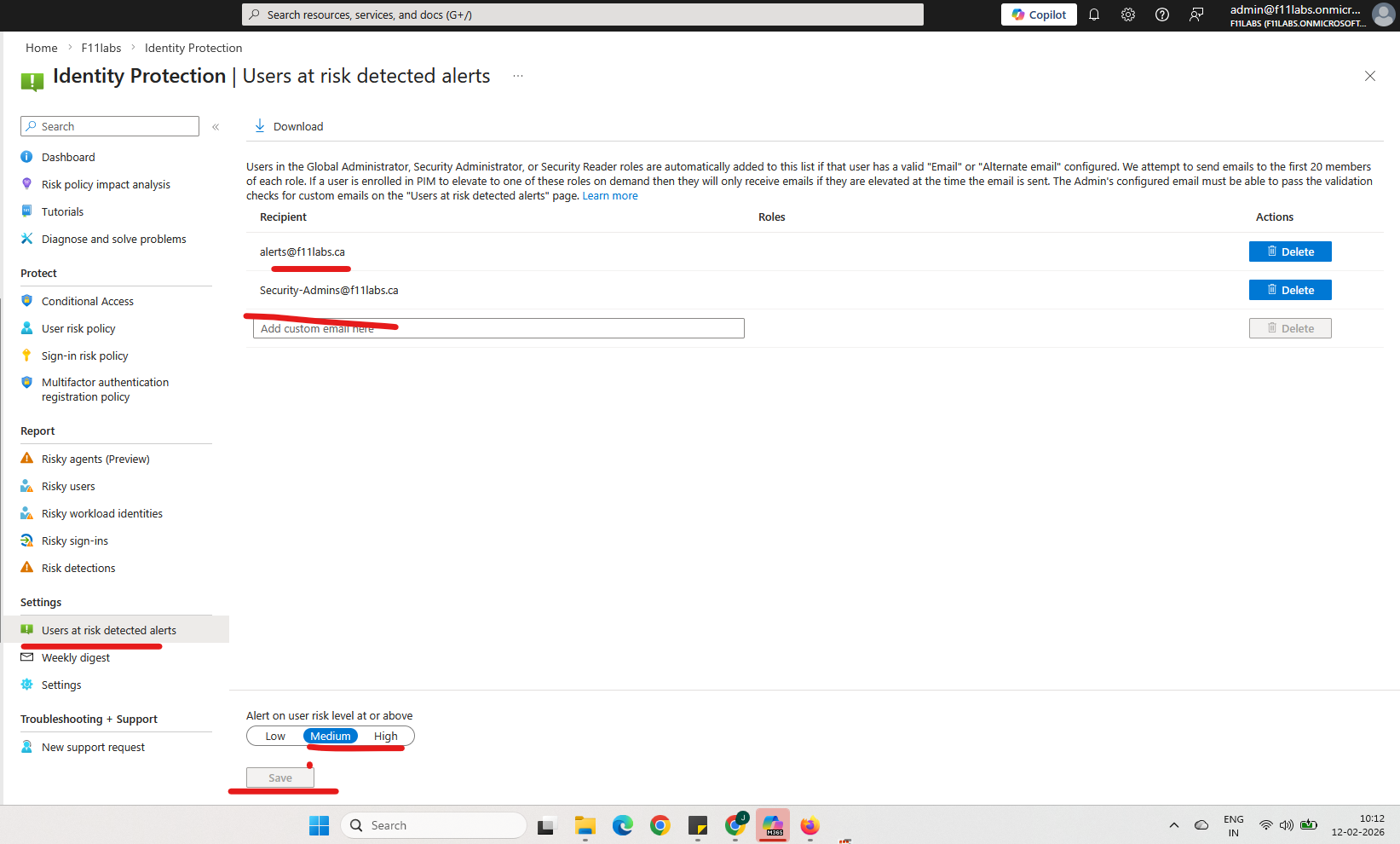
Configure Risky User Alerts
- From Identity Protection, go to Notifications
Under Users at risk detected alerts:
- Enable Send email notifications.
- Select Security admins
- Add a custom recipient email (e.g., SOC/shared inbox)
- Set risk threshold to Medium and above.
- Click Save
Result:
Notifications are configured and ready for risky user events.
Evidence EID-EXP-006-03
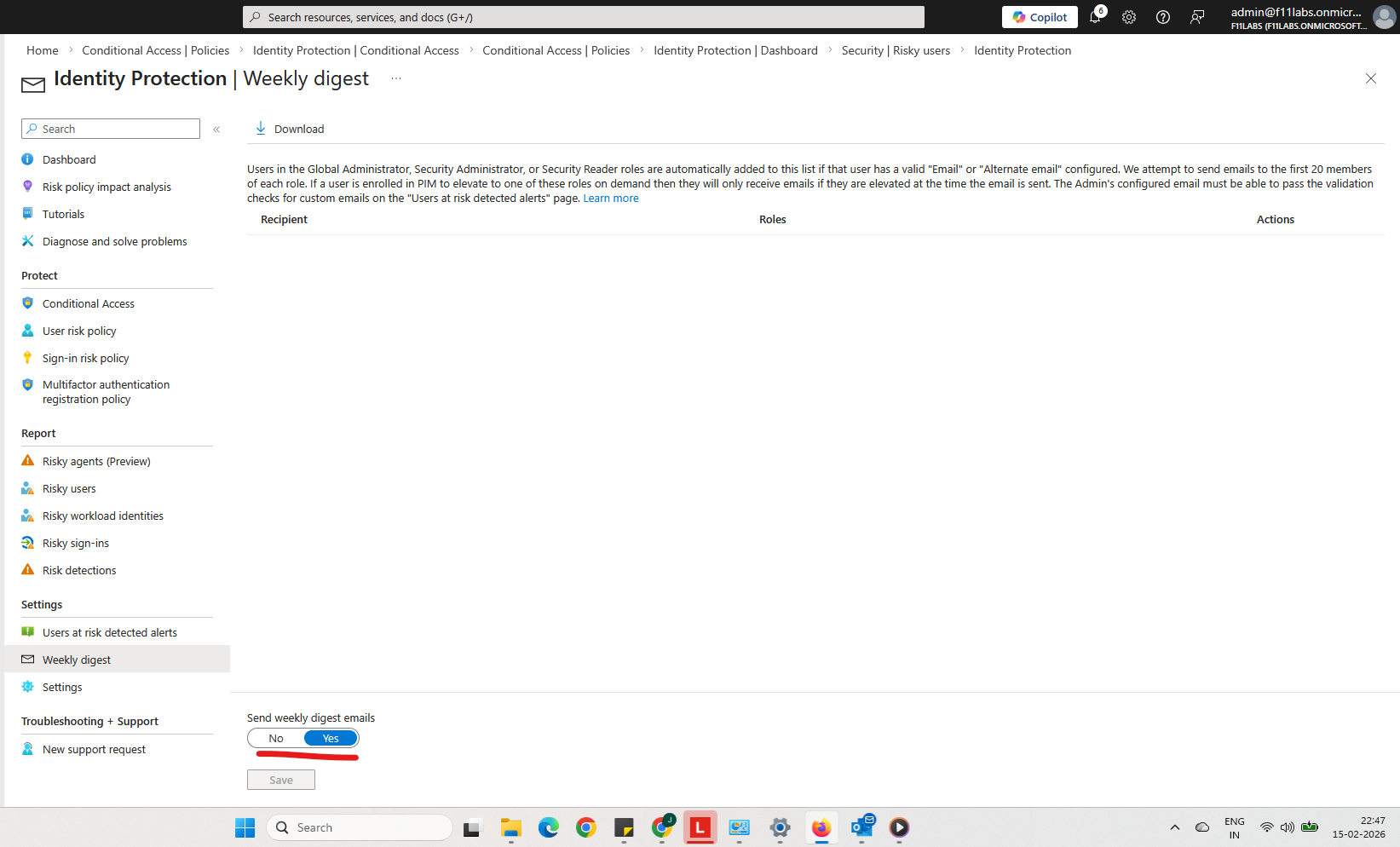
Enable Weekly Digest (Optional)
- Turn on Weekly digest.
- Add recipients
- Save configuration
Result:
A weekly summary of detected risk events will be sent to designated recipients.
Expected Behavior
- Risk notifications are sent via email when thresholds are met.
- Risk detection may take several minutes before alerts trigger.
- Both risky-user and risky-sign-in email alerts reach configured recipients.
Evidence Summary
EID-EXP-006-01 | Risky user event | Informational |
EID-EXP-006-02 | Risky Sign in | High |
EID-EXP-006-03 | Weekly digest | Low |
The notifications align with configuration and thresholds during lab conditions.
Lessons Learned
- Alerts are enabled at the Identity Protection level, but they won’t trigger unless risk events occur.
- Email recipients must be accurately added, including Security admins and any custom addresses, to ensure delivery.
- Notifications can be integrated into SOC workflows by routing them to SIEM or ticketing systems.
Related Analysis & Fix Guidance
- Technical deep dive: Microsoft Entra Identity Protection: Configuring Alerts & Notifications for Risky Users and Risky Sign-ins (EID-EXP-006)
- MSP risk & business impact: Identity Protection Without Alerts Is a Silent Security Failure (And Clients Still Pay for It)
- Video walkthrough: Configure Risky Sign-in & Risky User Alerts in Microsoft Entra Identity Protection (P2)
Next Experiment: EID-EXP-007 – Block Access for High Sign-in Risk (Conditional Access)