EID-EXP-015 – Evidence
Experiment ID: EID-EXP-015
Category: Authentication / Session Management
Title: Session Persistence After MFA – Continuous Access Without Re-Authentication
Result: Access to Microsoft 365 services continues after MFA without additional verification
Risk Rating: 🔴 High
Evidence Scope
This experiment assesses session behavior in Microsoft Entra ID to demonstrate the persistence of access following successful authentication.
The goal is to show that Multi-Factor Authentication (MFA) is enforced only at login, and active sessions remain trusted without ongoing validation.
This is a controlled observation of default session behavior and its associated risks, not an exploit demonstration.
Tenant Conditions:
- Microsoft Entra ID tenant (Free / P1)
- One standard test user
- MFA enabled (Microsoft Authenticator)
Conditional Access:
- Require MFA
- Default session controls (no sign-in frequency enforced)
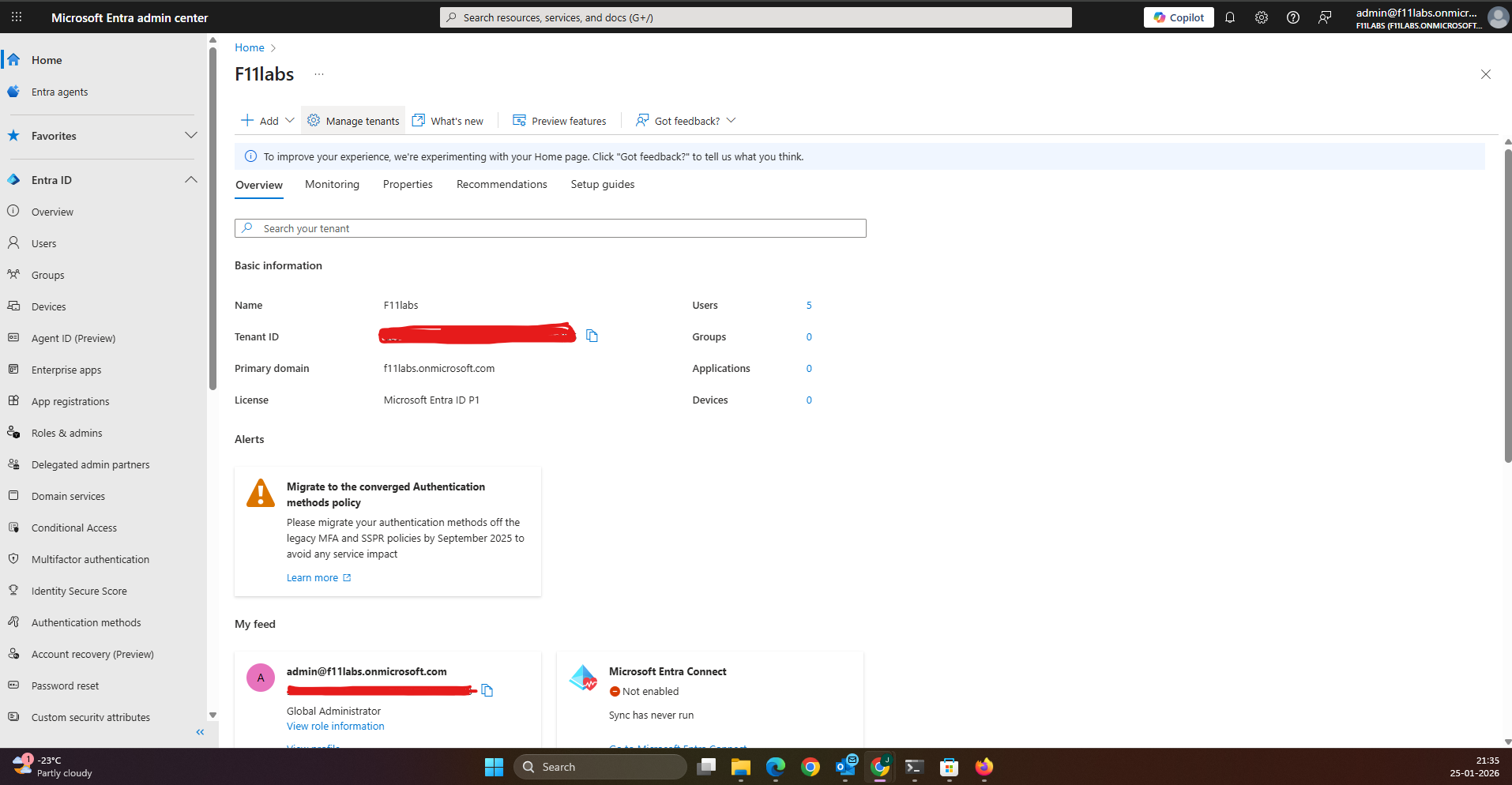
Tenant Validation 015-01
All evidence in this experiment was collected from the Microsoft Entra ID tenant F11labs with primary domain f11labs.onmicrosoft.com.
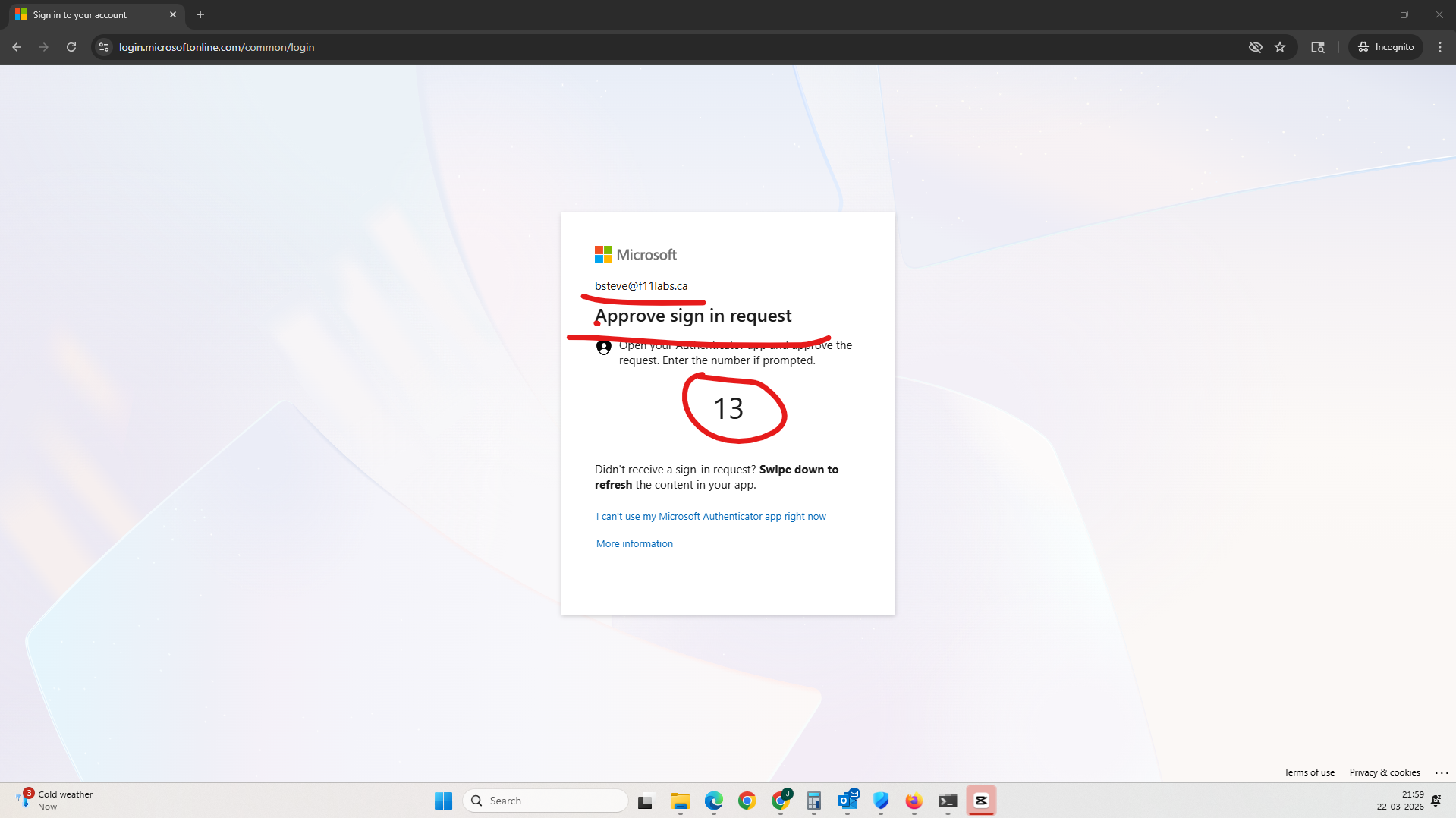
Evidence EID-EXP-015-01 – Successful Authentication with MFA
Control Area: Authentication
Observation: User successfully signs in using password and MFA.
Expected Secure State: MFA should validate identity and enforce robust authentication.
Actual Result: Authentication completes successfully, and a session token is issued.
Impact:
- MFA works as expected at login
- Session is established and trusted.
- There is no indication of session duration or revalidation.
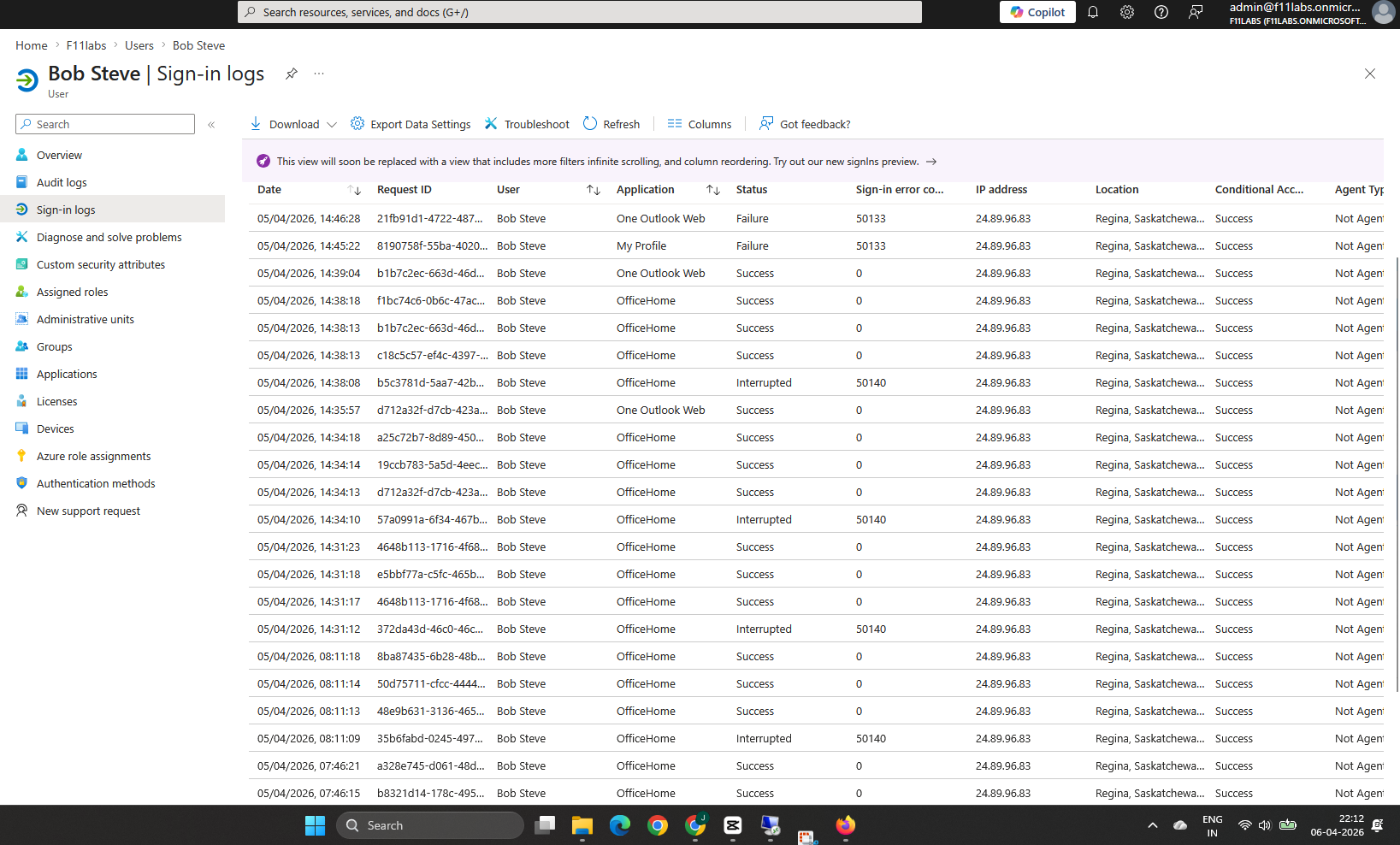
Evidence EID-EXP-015-02 – Session Persistence Without Re-Authentication
Control Area: Session Management
Observation: User continues to access Microsoft 365 services after initial login without additional MFA prompts.
Expected Secure State: Access to sensitive resources should require periodic re-authentication or validation.
Actual Result:
- No password prompt
- No MFA prompt
- Session remains active
Impact:
- Active sessions remain trusted.
- Access continues silently
- Users have no visibility into session expiration.
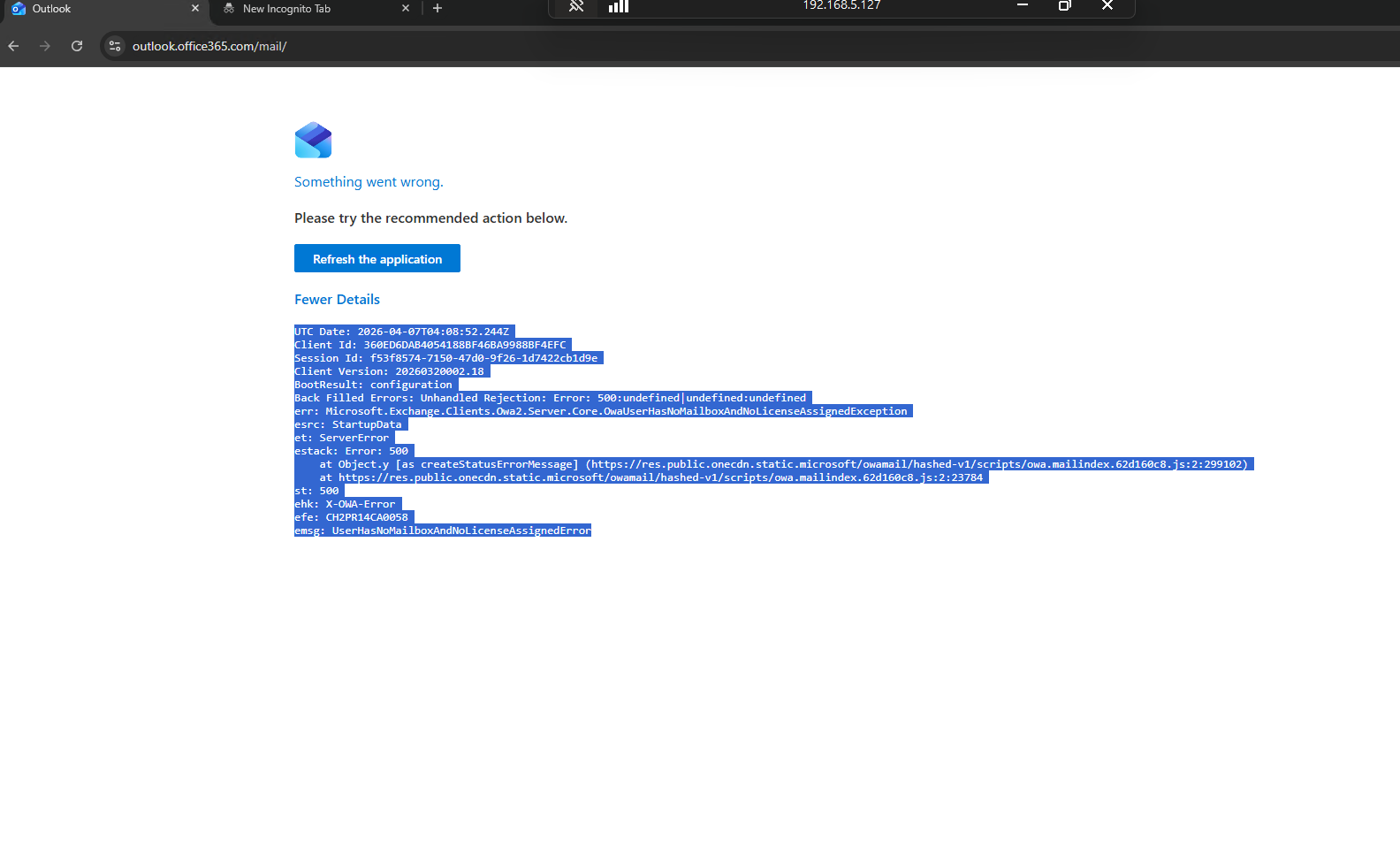
Evidence EID-EXP-015-03 – Access Continuity Across User Activity
Control Area: Access Continuity
Observation: After a period of inactivity (e.g., the user walks away), access to services continues without new authentication events.
Expected Secure State: Idle sessions should require re-authentication after a defined interval.
Actual Result:
- User returns and resumes activity.
- No authentication challenge triggered.
- Full access maintained
Impact:
- Shared or unattended devices remain exposed.
- Unauthorized access is possible without credentials.
- No interruption to the session
Evidence Artifact:
Evidence EID-EXP-015-04 – MFA Status Does Not Reflect Continuous Protection
Control Area: MFA Enforcement
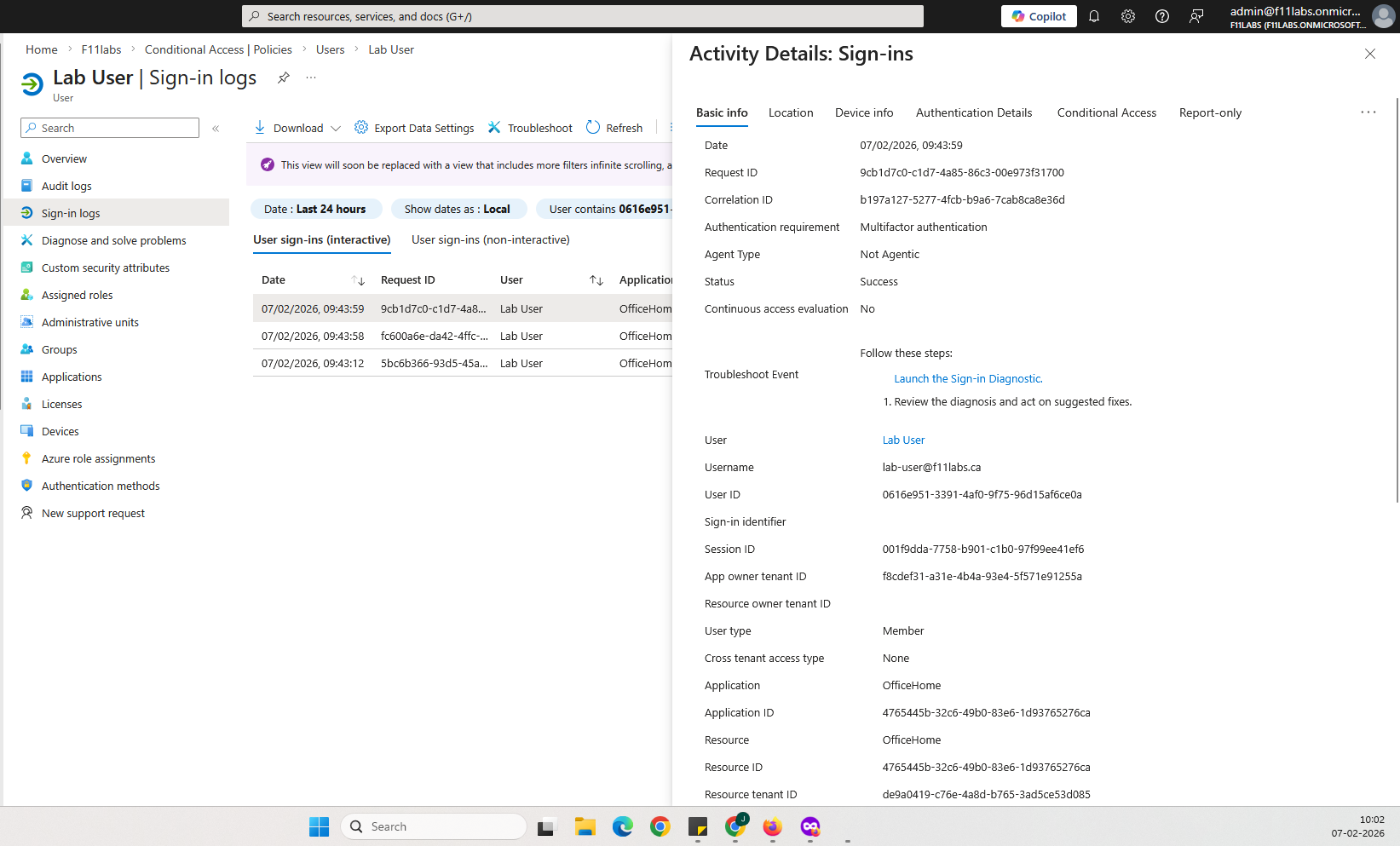
Observation: MFA is marked as “Satisfied” in logs even while the session remains active for an extended duration.
Expected Secure State: MFA enforcement should include ongoing validation or clearly indicate the duration of session trust.
Actual Result:
- MFA shown as satisfied
- There is no indication of session lifetime.
- No re-authentication required
Impact:
- There is a false assumption of continuous MFA enforcement.
- Long-lived sessions remain trusted.
- This increases the risk of session-based compromise.
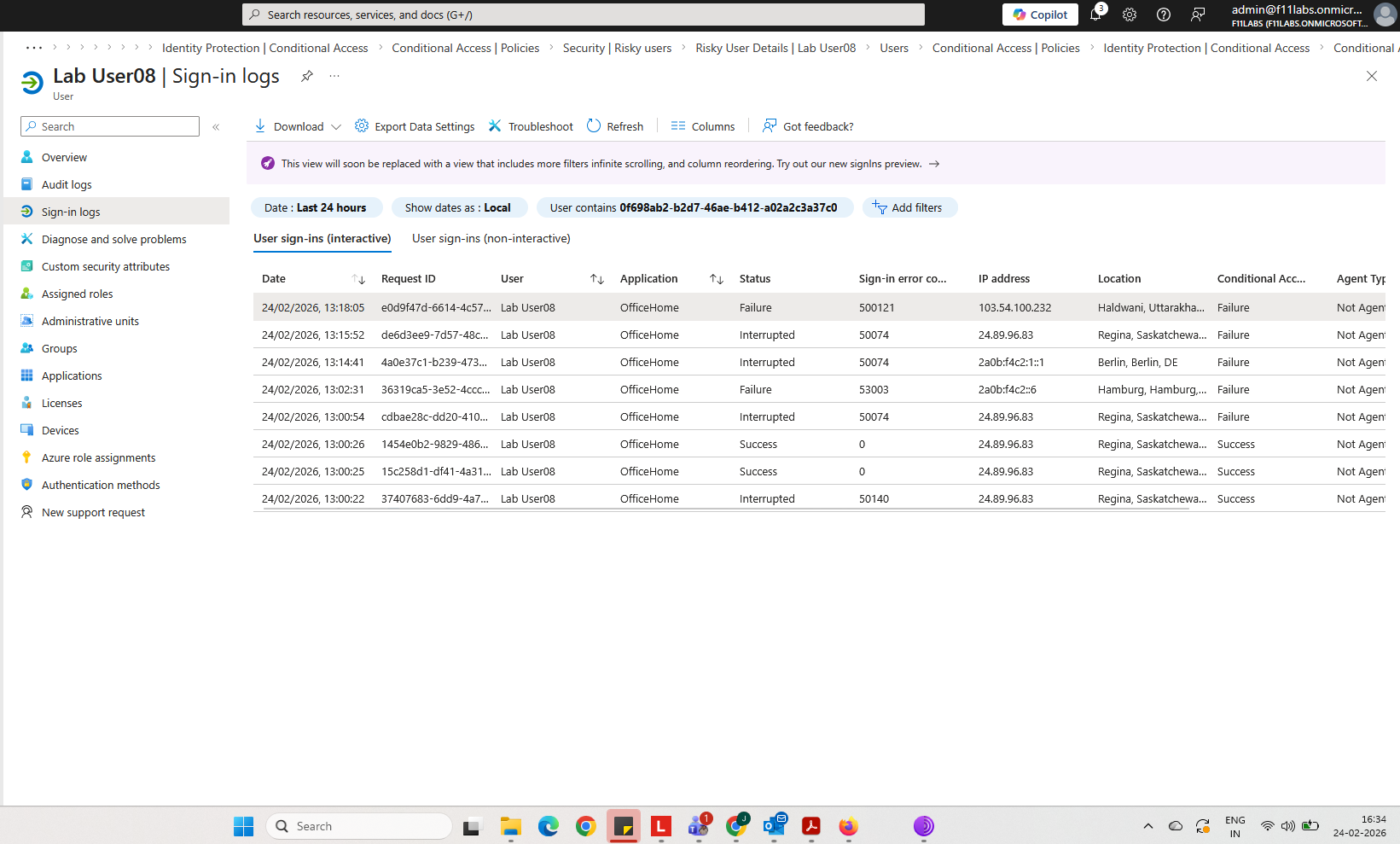
Sign-in log showing MFA satisfied with no session revalidation context.
Evidence Summary
| 015-001 | Authentication | Informational |
015-002 | Session Management | High — Persistent session |
015-003 | Access Continuity | High — No re-authentication |
015-004 | MFA Enforcement | High — Over trusted MFA state |
Evidence-Based Conclusion
This experiment confirms that Microsoft Entra ID enforces MFA at authentication, but not throughout the session.
Once a session is established:
- Access persists without re-authentication
- MFA is not re-evaluated
- Session trust is maintained by default.
This creates a high-risk exposure window in which:
- Devices left unattended remain accessible.
- Session tokens can be abused.
- Access continues without user awareness.
Next Experiment:
EID-EXP-016 – OAuth Consent Phishing (No Password, No MFA Attack)
Related Analysis & Fix Guidance
- Technical deep dive: Session Tokens in Entra ID – How Authentication Persists Beyond MFA
- MSP risk & business impact: Why MFA Alone Doesn’t Stop Account Takeover in Microsoft 365
- Video walkthrough: MFA Approved… Still Logged In? The Hidden Risk Explained