EID-EXP-019 – AI Agent Governance – Automated Decommissioning via Lifecycle Workflows
Category: Identity Governance / Workload Identity Security
Title: AI Agent Governance - Automated Decommissioning Using Lifecycle Workflows
Result: Successfully automated the disabling of over-privileged AI Service Principals using custom extensions.
Risk Rating: Critical (Before Remediation)
Evidence Scope
This experiment examines the security risk of "Identity Debt," focusing on overprivileged AI Service Principals that remain active after a project ends. It shows how to replace manual offboarding with Microsoft Entra Lifecycle Workflows, which can automatically trigger a "Kill Switch" using Azure Logic Apps and the Microsoft Graph API.
Tenant Conditions:
- Microsoft Entra ID tenant with Governance or P2 licensing.
- One AI Service Principal (AI-Sales-Analyzer-Agent) with User.Read.All or higher permissions.
- Custom Security Attribute ProjectDeltaTemporary is assigned to the workload.
- Azure Logic App configured with a System-Assigned Managed Identity.
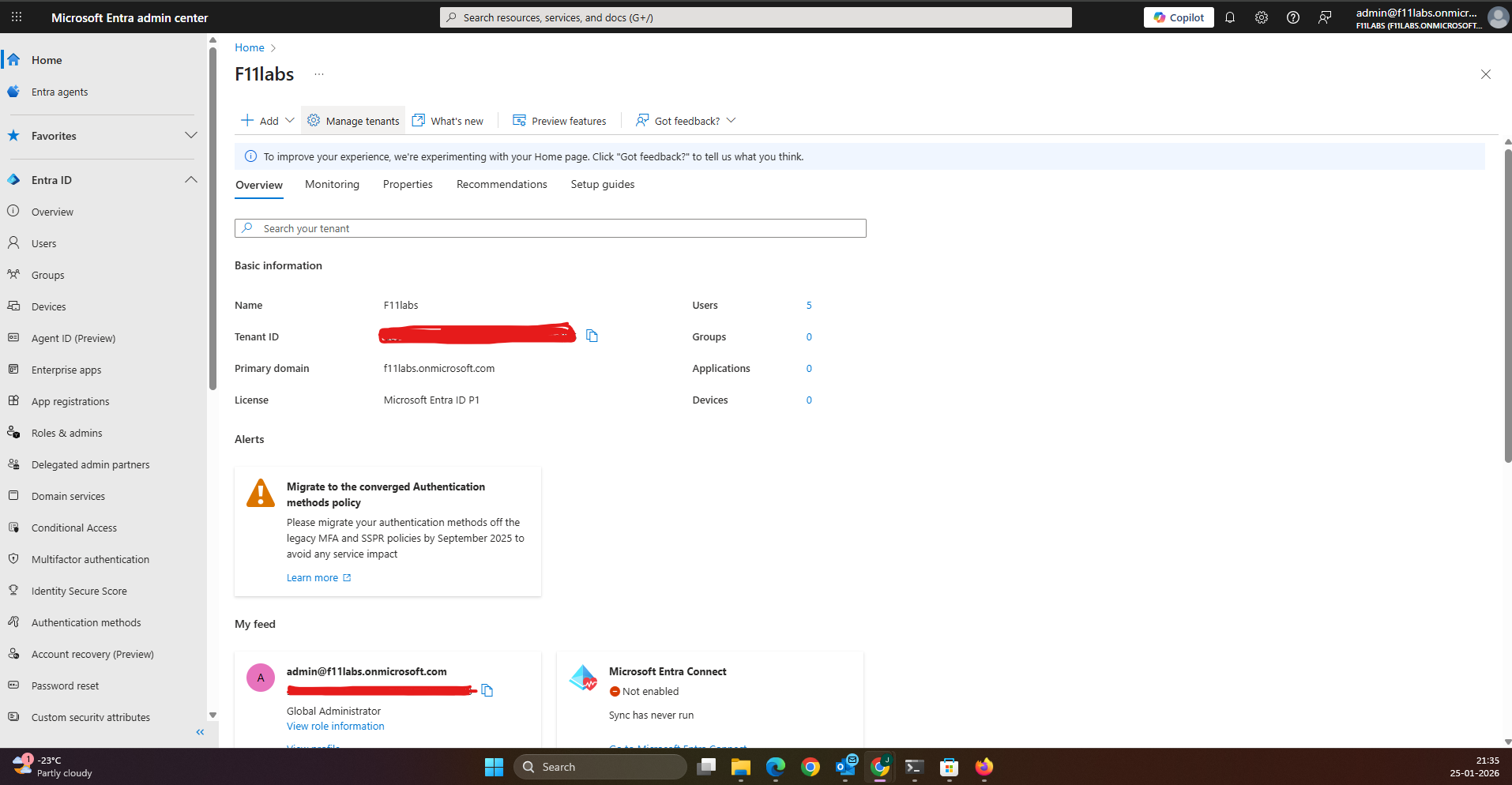
Tenant Validation 019-01
All evidence in this experiment was collected from the Microsoft Entra ID tenant F11labs with primary domain f11labs.onmicrosoft.com.
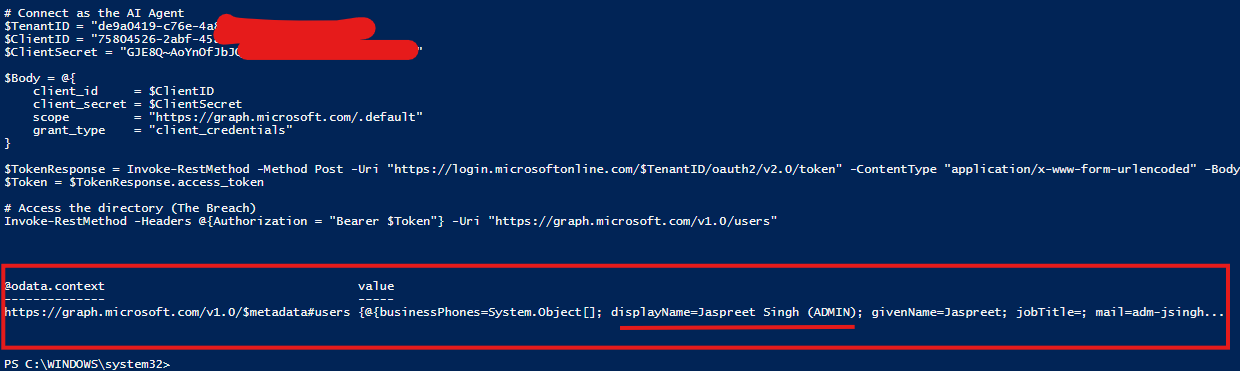
EID-EXP-019-02 - Identifying the "Invisible" AI Backdoor
Control Area: Workload Identity MonitoringObservation: An AI Agent used for a temporary project retains full directory access after the project team has finished their work.Expected Secure State: Non-human identities (NHIs) should be decommissioned immediately upon project completion.Actual Result:
- The Service Principal remains "Enabled" in the tenant.
- A leaked secret allows an attacker to perform a directory data dump via PowerShell.
- No native Entra task exists to automatically "Disable Service Principal".
- Impact:
- Permanent backdoor for attackers if secrets are compromised.
- Increased attack surface from "Shadow AI" integrations.
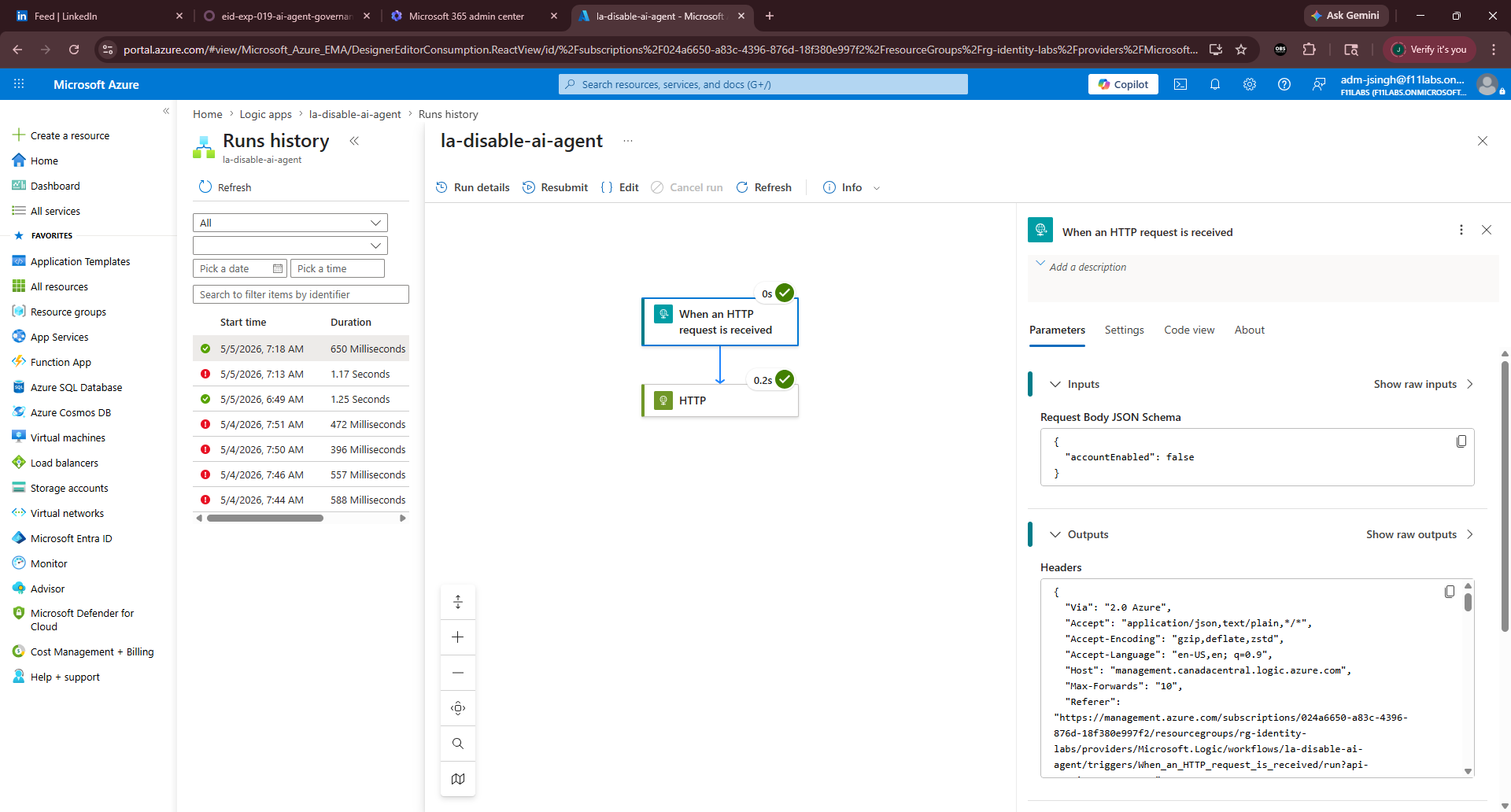
EID-EXP-019-03 - Orchestrating the "Kill Switch" Extension
Control Area: Custom Task Extensions / Logic AppsObservation: A Logic App is built to receive a trigger from Entra and execute a PATCH command to Microsoft Graph.Expected Secure State: The automation should be secured without using additional secrets (Managed Identity).Actual Result:
- Logic App is configured with an HTTP trigger.
- Authentication: Uses System-assigned managed identity with the Audience set to [https://graph.microsoft.com](https://graph.microsoft.com).
- Permissions: Managed Identity is granted to the Application.ReadWrite.All to allow account status modification.
- Impact: This approach offers a secure, serverless way to expand Entra's built-in governance features.
- Evidence Artifact: image_65f504.png (Logic App HTTP configuration showing headers and body).
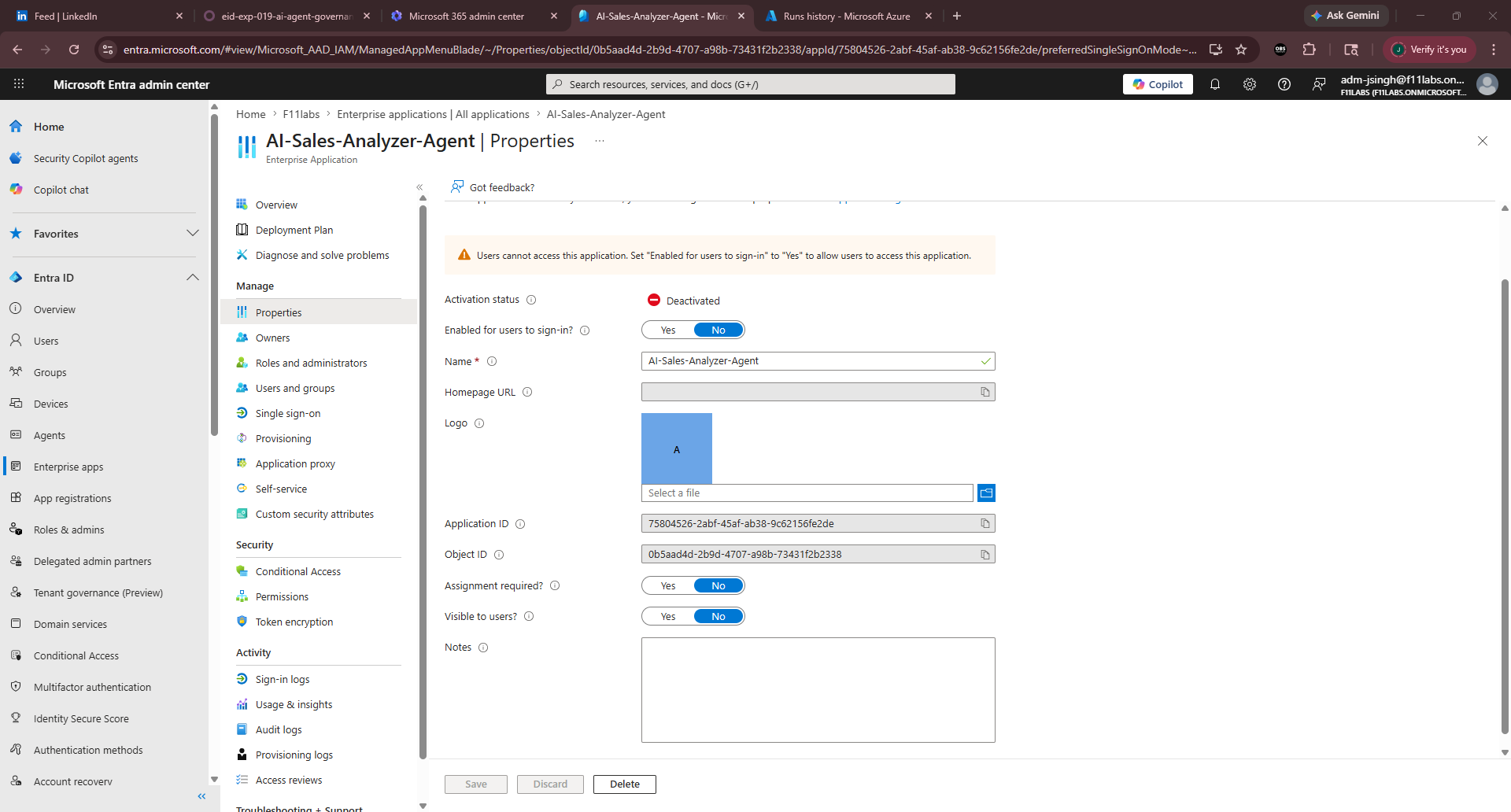
EID-EXP-019-04 - Automated Enforcement and Validation
Control Area: Lifecycle Workflow ExecutionObservation: An on-demand Lifecycle Workflow is triggered to offboard the AI Agent.Expected Secure State: The workflow should successfully trigger the Logic App and flip the accountEnabled status to false.Actual Result:
- Lifecycle Workflow pings the Logic App Custom Extension.
- Logic App history shows a Succeeded status.
- Subsequent PowerShell breach attempts return a 401 Unauthorized error.
- Impact:
- Eliminates manual errors in the offboarding process.
- Ensures Zero Trust by verifying that the identity is disabled immediately.
Evidence Summary
| 019-01 | Tenant Validation | Informational |
| 019-02 | Initial Breach Simulation | Critical – Unrestricted access via abandoned agent |
| 019-03 | Custom Extension Setup | Success – Secure Managed Identity configuration |
| 019-04 | Automated Decommissioning | Resolved – Account successfully disabled |
Evidence-Based Conclusion
This experiment shows that using Microsoft Entra Lifecycle Workflows with Azure Logic Apps can reduce the risks from over-privileged AI Service Principals. Although Entra does not have a built-in "Disable Workload" task, custom extensions make it possible to set up a strong, automated "Kill Switch." This automation makes sure that when a project ends, the related Non-Human Identities (NHI) are decommissioned, which helps prevent ongoing "Identity Debt" and protects the tenant from leaked workload secrets.
Related Analysis & Fix Guidance
- Technical Deep Dive: Automating Workload Identity Governance with Graph API
- MSP Business Impact: Why "Identity Debt" is the #1 threat to your M365 clients in 2026
- Video Walkthrough: Building the AI Kill Switch - Identity Digest