EID-EXP-002 – Evidence
Experiment ID: EID-EXP-002
Category: Authentication / Monitoring
Title: Sign-In Logs Deep Dive – Visibility Gaps in Authentication Events
Result: Critical authentication context is easy to miss or misinterpret
Risk Rating: 🔴 High
Evidence Scope
This experiment evaluates Microsoft Entra ID Sign-In Logs to demonstrate how common authentication activity can appear benign while still masking meaningful security risk.
The goal is not to simulate an attack, but to show how real user activity produces logs that require expert interpretation and how default monitoring provides limited actionable insight.
Tenant Conditions:
- Microsoft Entra ID tenant (Free or P1)
- One standard test user
- One admin account
- Default logging and alerting
- No Identity Protection alerts assumed
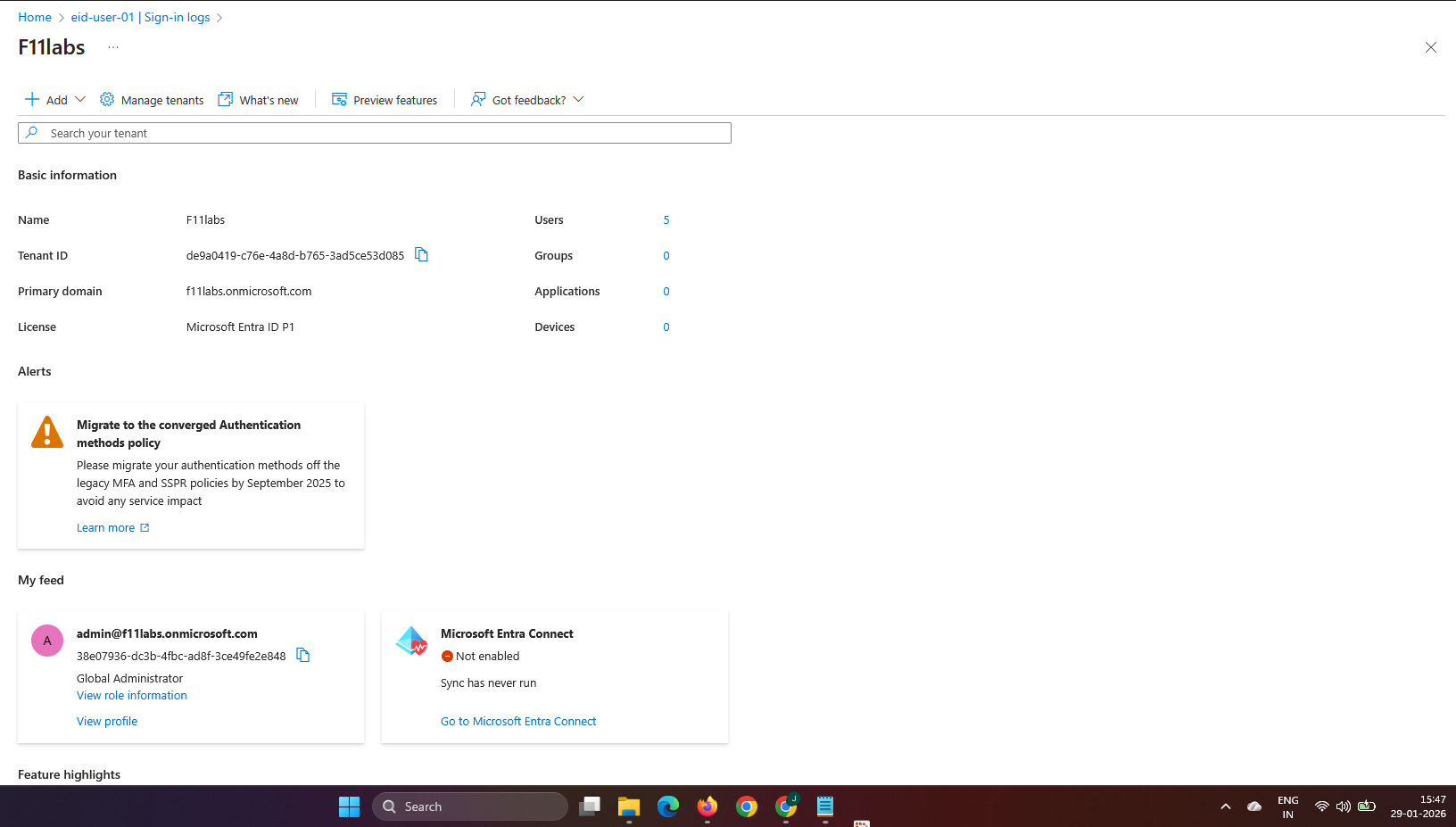
Tenant Validation 001-01
All evidence in this experiment was collected from the Microsoft Entra ID tenant**F11labs** with primary domain **f11labs.onmicrosoft.com**.
Evidence Artifact:
EID-EXP-002-Tenant-Overview.png
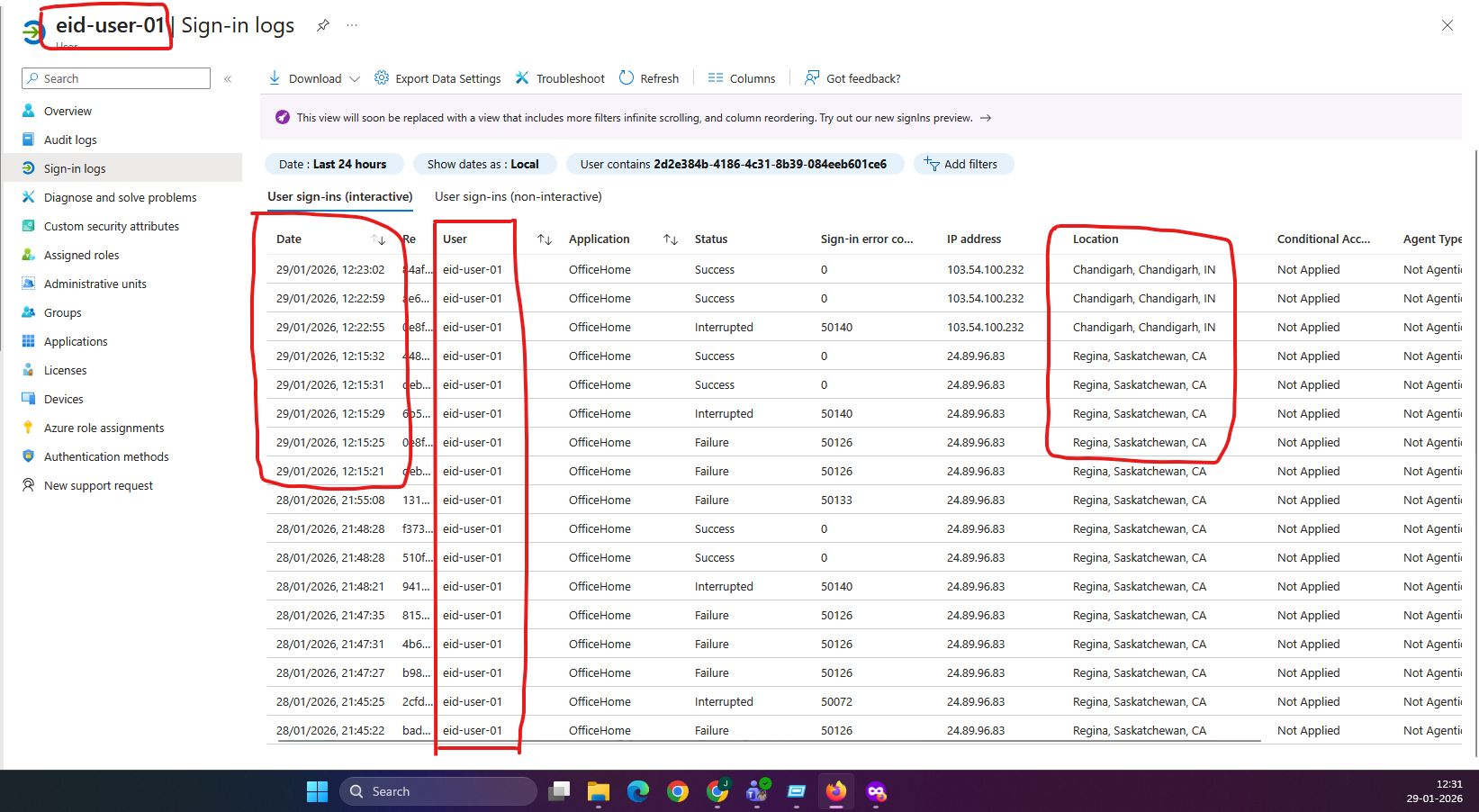
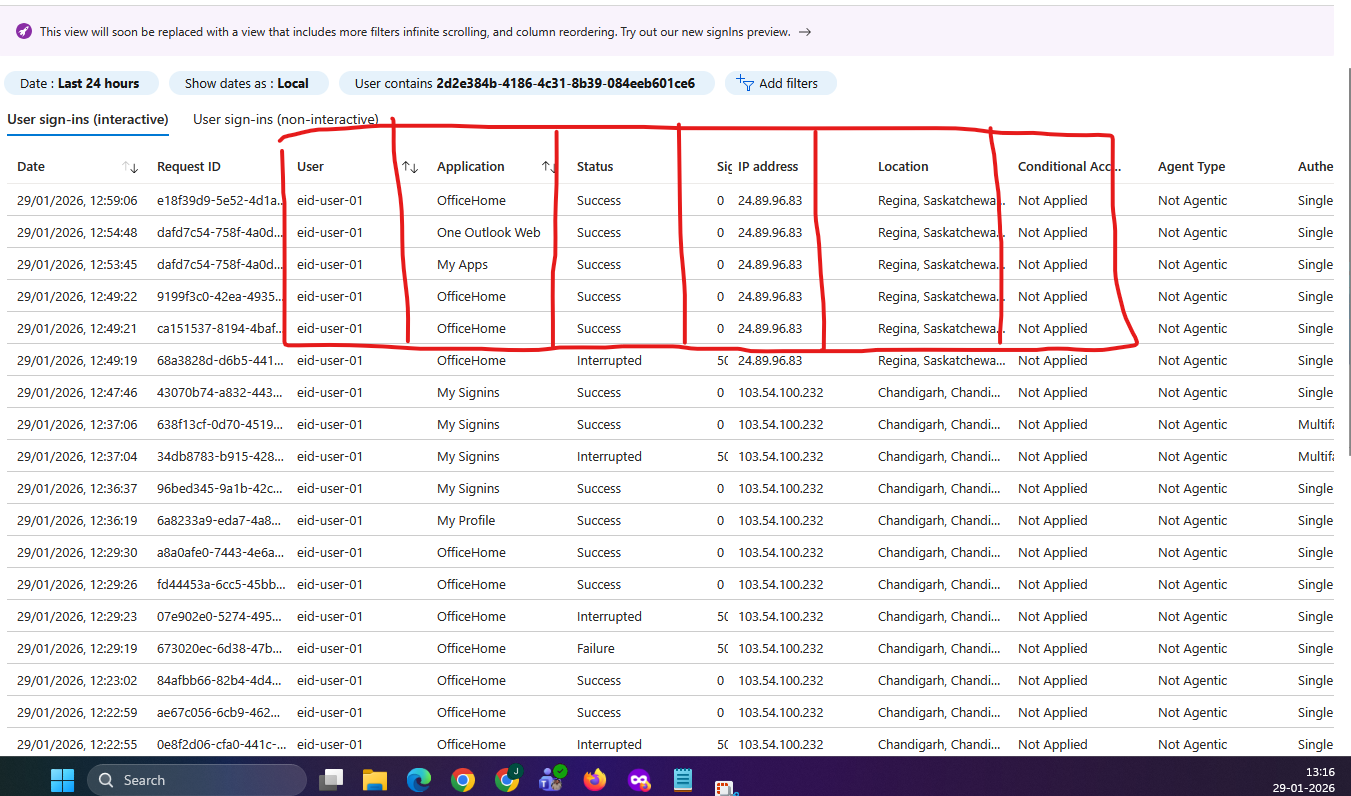
Evidence EID-EXP-002-01 – Multiple Successful Sign-Ins from Different Locations
Control Area: Sign-In Monitoring
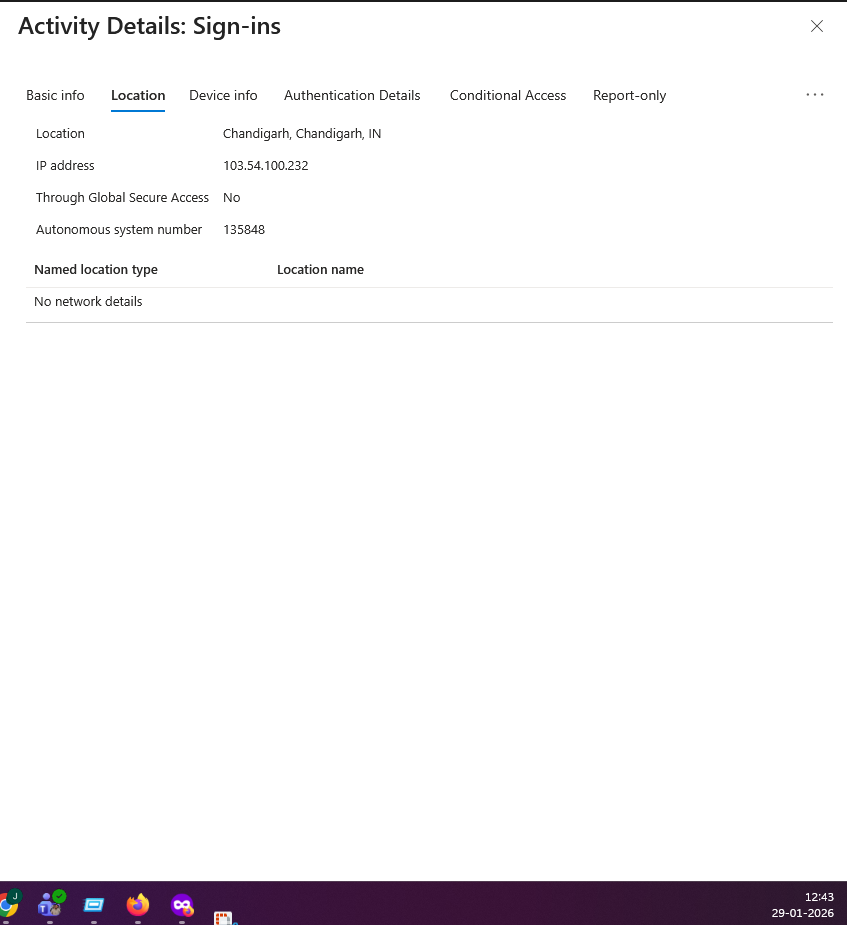
Observation: The same user successfully signs in from different IP addresses and geographic locations.
Expected Secure State: Administrators should be clearly alerted to unusual location changes or anomalous sign-in behavior.
Actual Result: Sign-ins appear as normal successful events with no warnings, alerts, or risk indicators.
Impact:
Potential account sharing or session abuse is not obvious
Manual log review is required
Location-based risk is not surfaced by default
Evidence Artifact: Sign-in logs showing multiple successful authentications for the same user from different IP addresses and locations.
Evidence EID-EXP-002-02 – Session Reuse Without New Interactive Sign-In
Control Area: Session Visibility
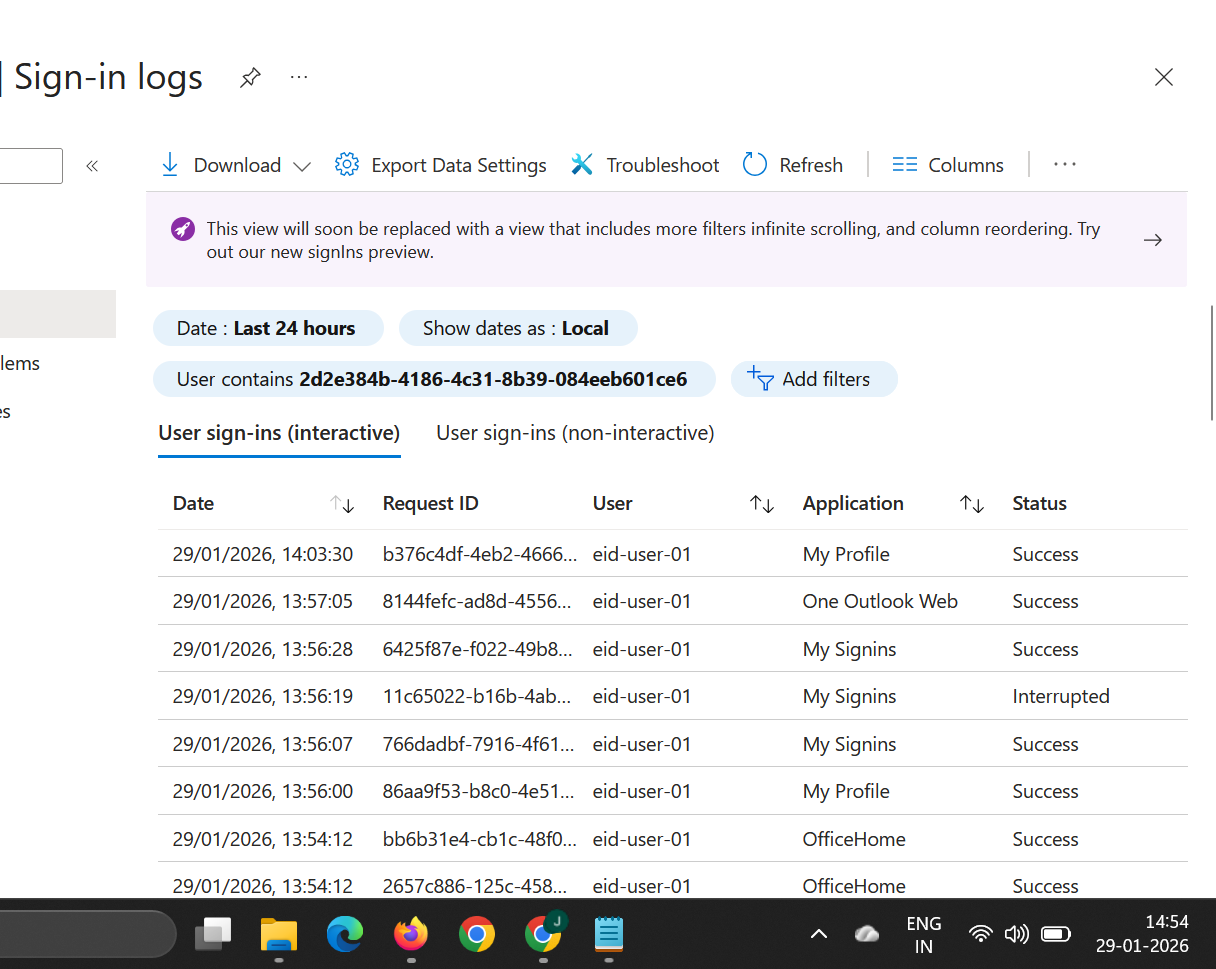
Observation: The user continues to access Microsoft services without generating new interactive sign-in events.
Expected Secure State: Ongoing access should be clearly distinguishable from new authentication attempts.
Actual Result: The sign-in logs show multiple successful sign-ins for different applications (OfficeHome, Outlook Web, My Apps) without clear indication of a new interactive authentication event.
Impact:
Administrators may assume no activity is occurring
Session persistence is not obvious
Compromised sessions can remain undetected
Evidence Artifact: Sign-in logs showing initial authentication followed by continued access without additional sign-in events.
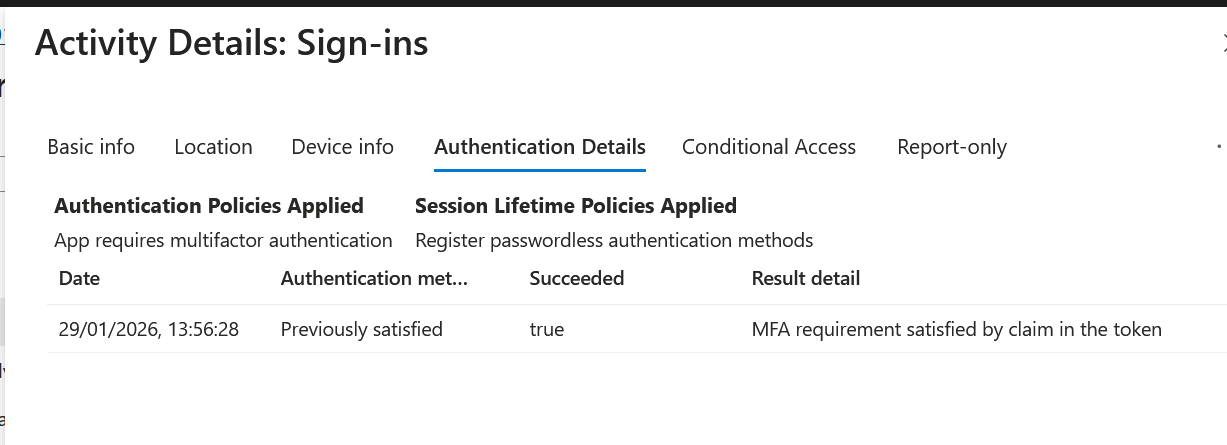
Evidence EID-EXP-002-03 – MFA Shown as Satisfied Without Time Context
Control Area: MFA Logging
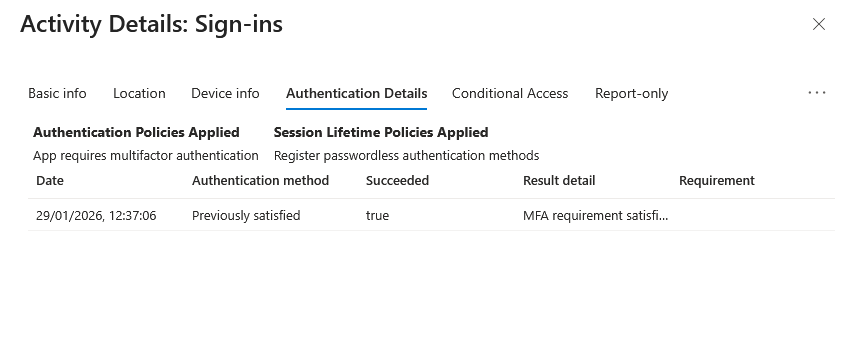
Observation: Multi-factor authentication is marked as “Satisfied” in the sign-in logs.
Expected Secure State: Logs should clearly indicate how long MFA trust persists and when re-authentication is required.
Actual Result: The logs show MFA as satisfied but provide limited insight into session duration or revalidation timing.
Impact:
False sense of continuous MFA enforcement
Administrators may overestimate protection
Long-lived sessions remain trusted
Evidence Artifact: Sign-in log entry showing MFA satisfied with no indication of session lifetime.
Evidence Summary
| Evidence ID | Control Area | Result |
| 002-01 | Tenant Validation | Informational |
002-02 | Authentication Sessions | High — Session persists |
002-03 | Session Enforcement | High — No re-authentication |
Evidence-Based Conclusion
This experiment confirms that Microsoft Entra ID Sign-In Logs provide raw data, not security conclusions. While authentication events are recorded, meaningful risk indicators are not automatically highlighted.
Without strong analyst interpretation, Conditional Access policies, or advanced risk signals, administrators may overlook:
Session persistence
Location anomalies
Overtrusted MFA states
This creates a high-risk visibility gap during investigations and incident response.
Next Experiment: EID-EXP-003 – Common Break-Glass Account Mistakes and Risk Indicators
Related Analysis & Fix Guidance
Technical deep dive: What Entra ID Sign-In Logs Really Capture (and What They Don’t)
- MSP risk & business impact: Microsoft Entra ID Sign-In Logs: The Visibility Gaps MSPs Can’t Afford to Ignore
- Video walkthrough: Entra ID Sign-In Logs Lie? Authentication Events You’ll Never See